Best Seller Icon Bestseller

Certificate In Adobe Lightroom(S-AL-7517)

  • Last updated Dec, 2025
  • Certified Course
  • Duration2 Months
  • Enrolled0
  • Lectures10
  • Videos0
  • Notes0
  • CertificateYes

What you'll learn

Course Includes

  • ·      Classroom Training Program
  • ·      100% Practical Training
  • ·      Complete eBook
  • ·      Online Offline Assessments
  • ·      100% Job Assistance
  • ·      Access on All Device
  • ·      Lifetime Access Card
  • ·      100% Job Guaranteed Courses
  • ·      Job Referral In MNC
  • ·      Internship With The Organization
  • ·      Training By Work Professional
  • ·      Top Rated Computer Institute
  • ·      We Have Regular Batches

Show More

Course Syllabus

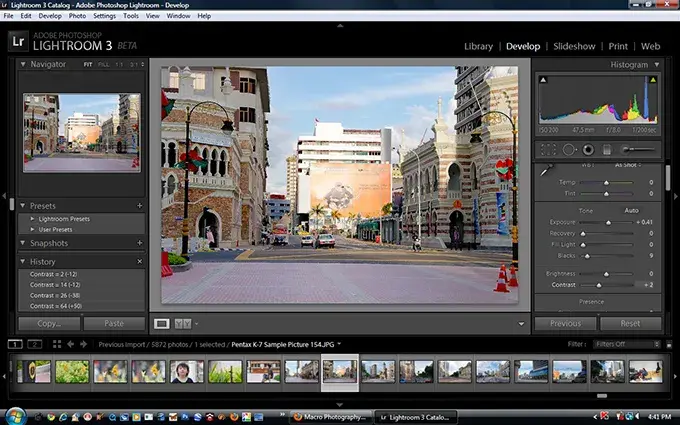
Module 1: Introduction to Lightroom

  • What is Lightroom (Classic vs CC)?
  • Understanding non-destructive editing
  • Catalogs & how Lightroom stores photos
  • Interface overview (Library, Develop, etc.)
  • Importing photos

Module 2: Library Module (Photo Organization)

  • Folder structure & file management
  • Keywording, tagging & metadata
  • Collections & smart collections
  • Filtering & searching images
  • Rating, flagging & color labels
  • Backup & catalog optimization

Module 3: Develop Module (Photo Editing Basics)

  • Understanding the histogram
  • White balance adjustment
  • Exposure, contrast, highlights & shadows
  • Clarity, texture, dehaze
  • Tone Curve basics
  • Cropping & straightening

Module 4: Color Editing & Tone Control

  • HSL/Color panel
  • Color grading (Shadows, Midtones, Highlights)
  • Vibrance vs Saturation
  • Camera calibration basics

Module 5: Detail & Optics

  • Sharpening & noise reduction
  • Lens corrections (distortion, chromatic aberration)
  • Profile corrections for lenses

Module 6: Local Adjustments

  • Brush tool
  • Radial filter
  • Graduated filter
  • Masking: subject, sky, background, object
  • Spot removal & healing tool
  • Red-eye correction

Module 7: Advanced Editing Techniques

  • Using presets (built-in & custom)
  • Creating your own presets
  • Split toning techniques
  • Black & white conversions
  • HDR merge & Panorama merge
  • Syncing adjustments across multiple images

Module 8: Lightroom for Portrait Photography

  • Skin tone correction
  • Eye and teeth enhancement
  • Portrait masking automation
  • Color grading for portraits

Module 9: Lightroom for Landscape Photography

  • Sky enhancements
  • Adding drama: clarity, dehaze & tonal contrast
  • Managing dynamic range
  • Color separation & vibrance control

Module 10: Exporting & Output

  • Export settings for social media
  • Export settings for print
  • Watermarking
  • File renaming rules
  • Color profiles (sRGB, Adobe RGB)


Course Fees

Course Fees
:
₹7500/-
Discounted Fees
:
₹ 3499/-
Course Duration
:
2 Months

Review

0.0
Course Rating (0 reviews)
0%
0%
0%
0%
0%